import Tabs from '@theme/Tabs'; import TabItem from '@theme/TabItem';
Sipmon BAM is a Sipmon extension that requires a valid license key. To purchase one, contact Sipmon.
Prerequisites
See the software requirements.
Install BAM on the central server. The central server and Sipmon BAM must be installed in the same major versions (i.e. both in 22.10.x). If you want to be able to view the Business activities monitored by a remote server, install BAM on the remote server too. When BAM is installed on a remote server, the Business activities will only include the resources monitored by the remote server.
Installation
Install the package
Add the Sipmon Business repository, you can find it on the support portal.
And install the package using the following command:
Upload the license
A license file bam.license is provided by Sipmon. Go to Administration > Extensions > Manager and upload the license using the interface.
Install the interface
Go to the Administration > Extension > Manager menu and click on the install button for the following modules:
- License Manager (if not yet installed)
- Business Activity Monitoring
Once installed and the license added, the module will have a green banner that indicates the license expiry date:
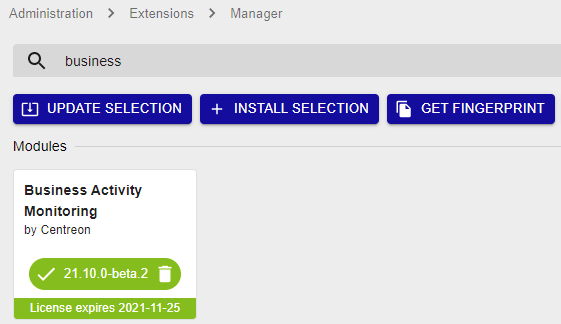
If you are using MariaDB replication for your monitoring databases, installing Sipmon BAM generates a view. You need to exclude it from replication by adding the following line on the my.cnf file of the slave server:
textreplicate-ignore-table=Sipmon.mod_bam_view_kpiCreate the view manually on the slave server using this file, by executing the following command:
shellmysql Sipmon < view_creation.sql