Sipmon MAP is a solution fully available in the Sipmon web interface while offering you the best possible experience in creating, visualizing and sharing graphical representations of your monitored infrastructure.
The difference with the MAP (Legacy) version is that MAP provides you with an edition tool fully embedded in the web interface. You do not need to install anything on your desktop. You can navigate easily between the edition mode and the view mode.
If you already used the MAP (Legacy) version, note that you can easily import your legacy maps into the MAP interface.
See how to manage views using the Sipmon MAP REST API here.
Overview
Create, customize, and visualize your maps within a single web interface.
You need first to create your logical views using the MAP editor:
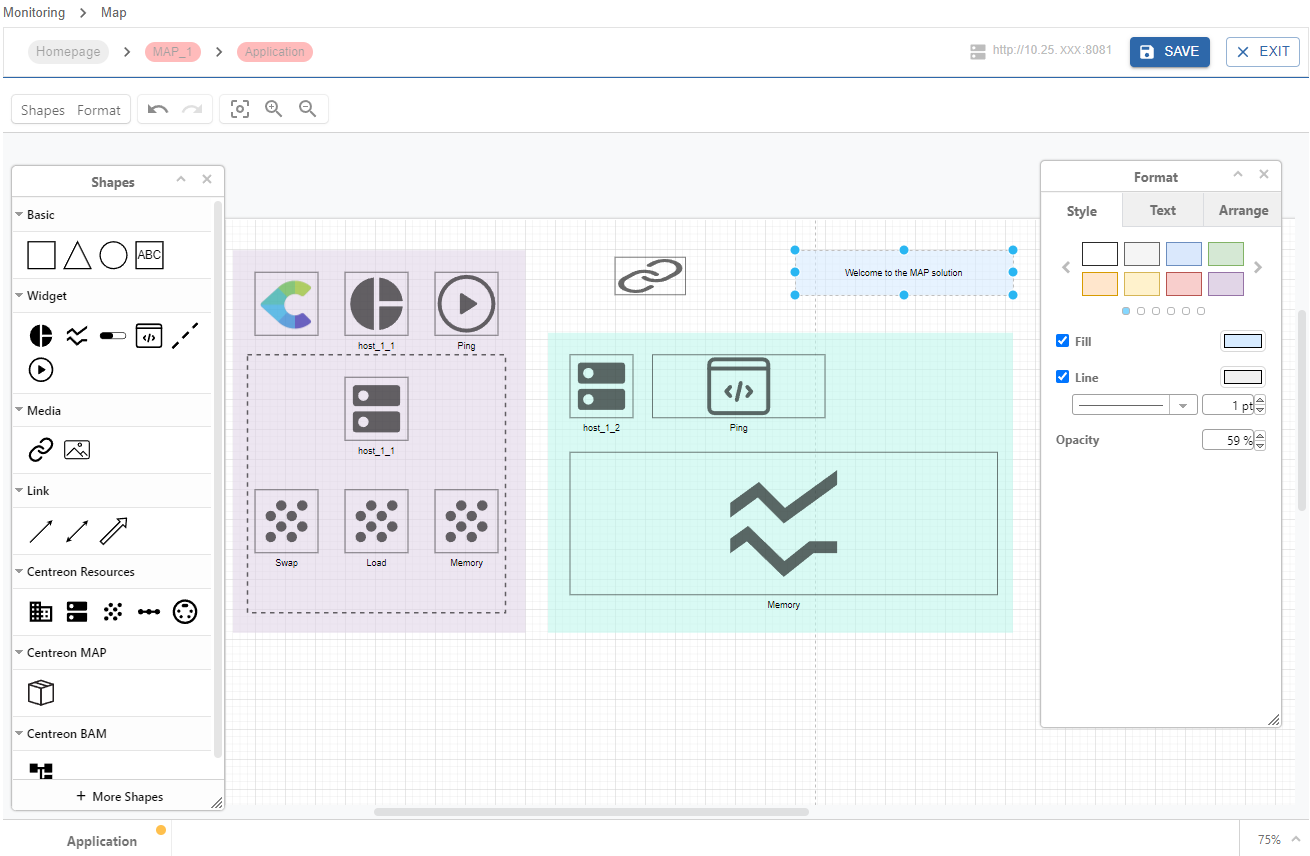
Then you can visualize your map directly in the view mode:
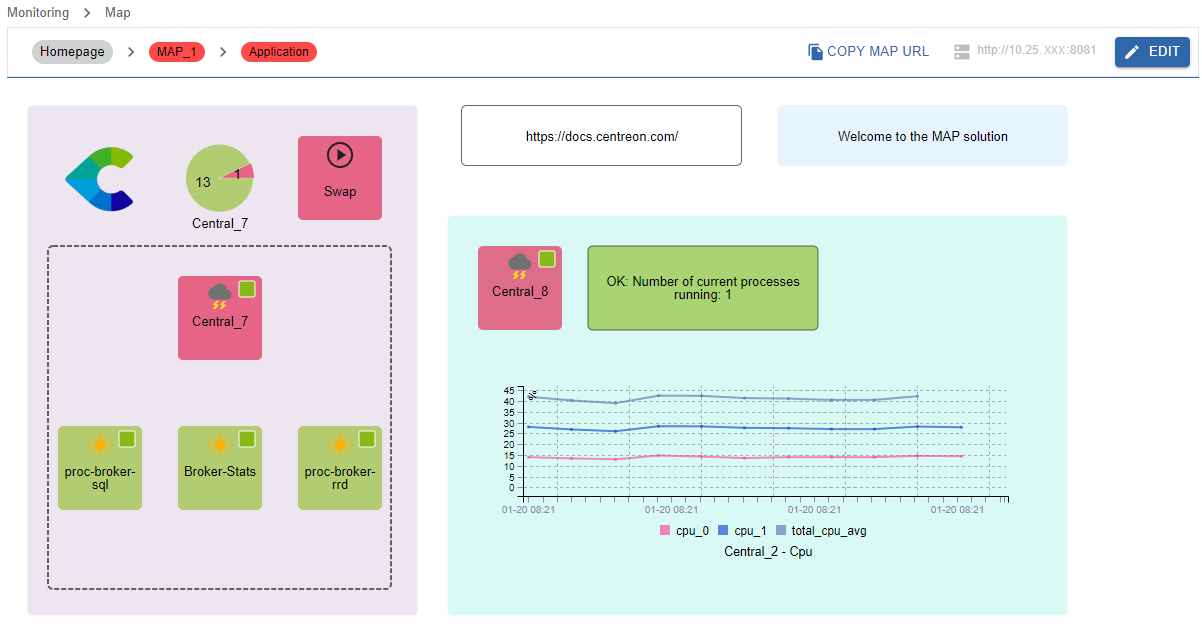
Your maps can be displayed in two ways in the interface:
- In the Monitoring > Map page, in view mode.
- In the Home > Custom Views page, using a dedicated MAP widget.
Procedures
Use the following procedures to use and administrate Sipmon MAP.
Administrating MAP
- Installing MAP describes prerequisites and procedures to install MAP.
- Installing MAP on a remote server explains how to install MAP on a remote server.
- Updating MAP describes the update process of MAP.
- Switching from Map (Legacy) to MAP explains how to migrate your legacy maps into the MAP interface.
- Managing access rights in MAP describes the different rights and permissions on maps.
Using MAP
- Managing maps in MAP gives you information about how to manage maps from the Sipmon MAP interface.
- Creating a standard map describes how to create standard maps and how to customize them using the MAP editor.
- Creating a geographic view explains how to display your resources across a defined geographical area.
- MAP known issues is a list of issues you may encounter using MAP.
- MAP troubleshooting helps you to solve some issues occuring in MAP.