import Tabs from '@theme/Tabs'; import TabItem from '@theme/TabItem';
How can I obtain a license?
- You can request your token for the free IT-100 edition on our website.
- If you have purchased a license, request your license files from our support team.
Types of licenses
According to your Sipmon edition, your license can be:
- online: uses a token. Your Sipmon platform must be connected to the internet.
- offline: uses one or several license files
Which modules require a license?
The following modules need to be installed separately and require a valid license.
- Plugin Packs
- Auto Discovery
- Anomaly Detection
- Service mapping (BAM)
- Graphical views (MAP)
- Reporting (MBI)
Viewing license-based modules
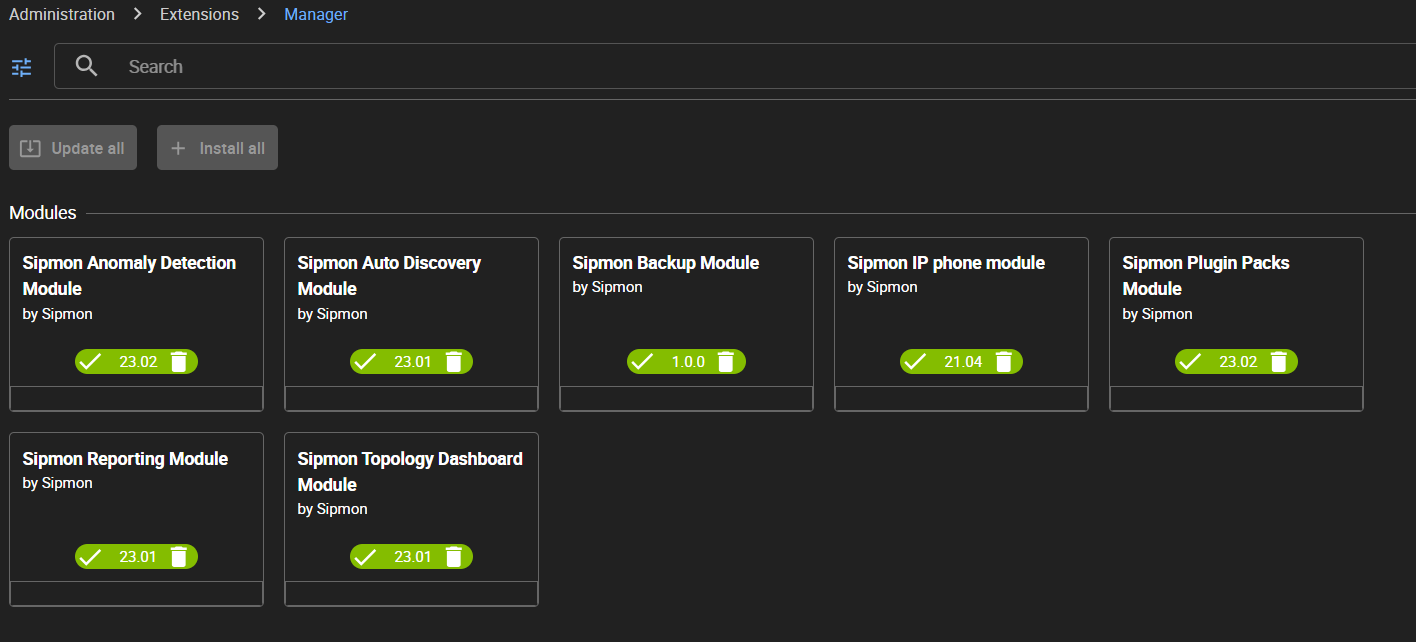
Go to Administration > Extensions > Manager. All modules currently installed on your platform have a green button with a white tick mark in it. Modules that require a license have a colored banner at the bottom (red if you have no valid license, green if you have one).
Adding a license to your Sipmon platform
Free IT-100 license
See chapter Set up your free IT-100 solution.
Troubleshooting licenses
"No valid file uploaded"
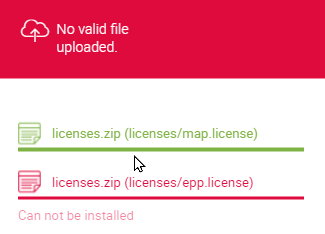
Check the contents of the following directory:
ls -lah /etc/Sipmon/license.d/If the directory already contains licences with rights that are not apache/apache, delete them or change their rights so that they can be overwritten by the new licenses:
chown apache:apache /etc/Sipmon/license.d/*
chmod 640 /etc/Sipmon/license.d/*
"Your EPP license is not valid"
Check that the fingerprint of the central server (on page Administration > Extensions > Manager) matches the fingerprint in the license.
shellless /etc/Sipmon/license.d/epp.licenseCheck that you do not have more hosts than your license allows. Use the following command:
sqlSELECT COUNT(*) FROM Sipmon.host WHERE host_register='1';