Installation of Auto Discovery Module
This guide provides a step-by-step approach to accessing and enabling the Auto Discovery feature in the monitoring tool for effortless host discovery.
1. Click Administration > Extensions > Manager
Or navigate to the following link: http://<on_prem_ip>/sipmon/administration/extensions/manager. Replace <on_prem_ip> with your on-premises IP address.
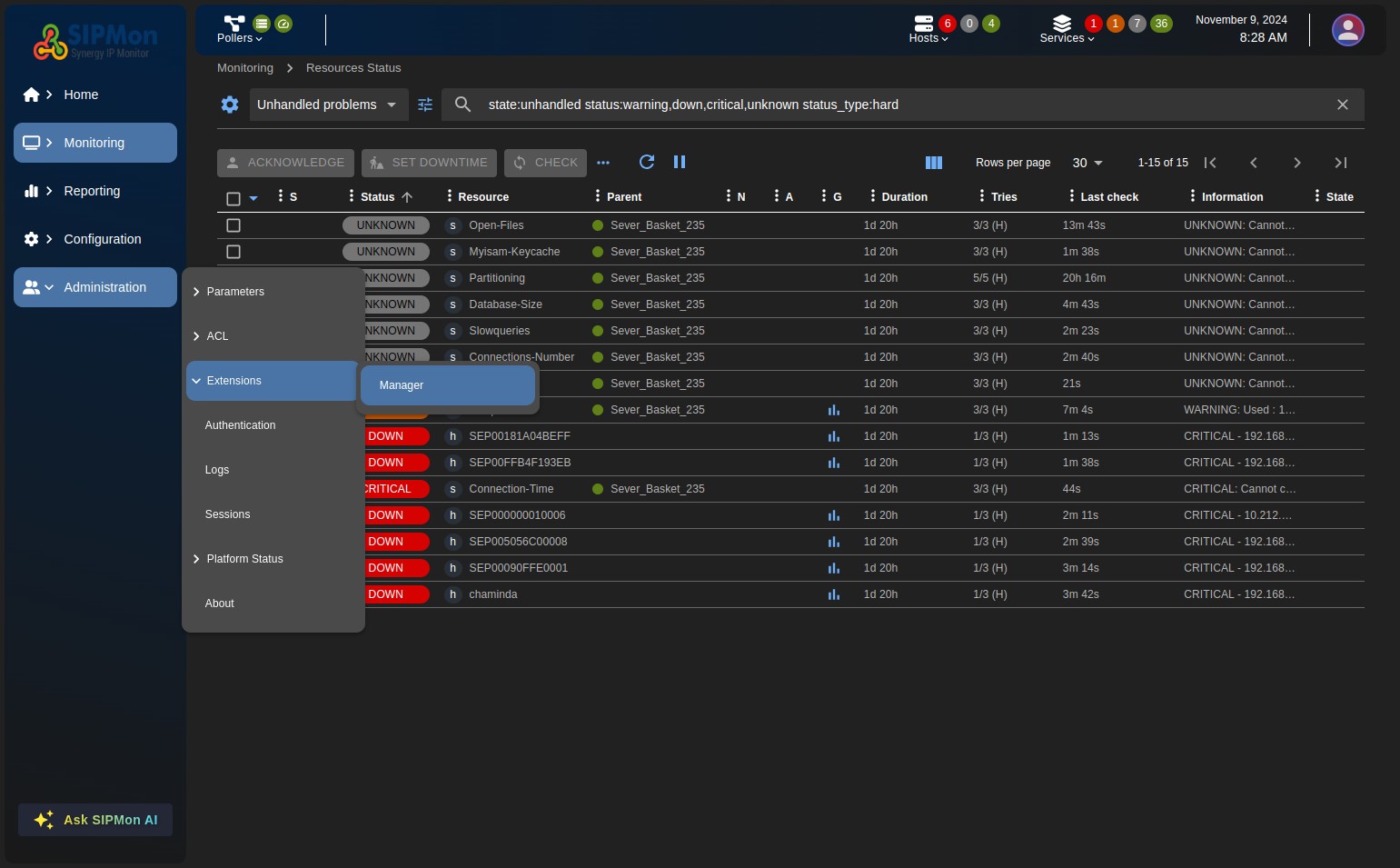 Figure: Extensions Manager
2. Click the + 23.01 button in the Sipmon Auto Discovery module widget.
Alternatively, you can click on the widget to view more details about the module.
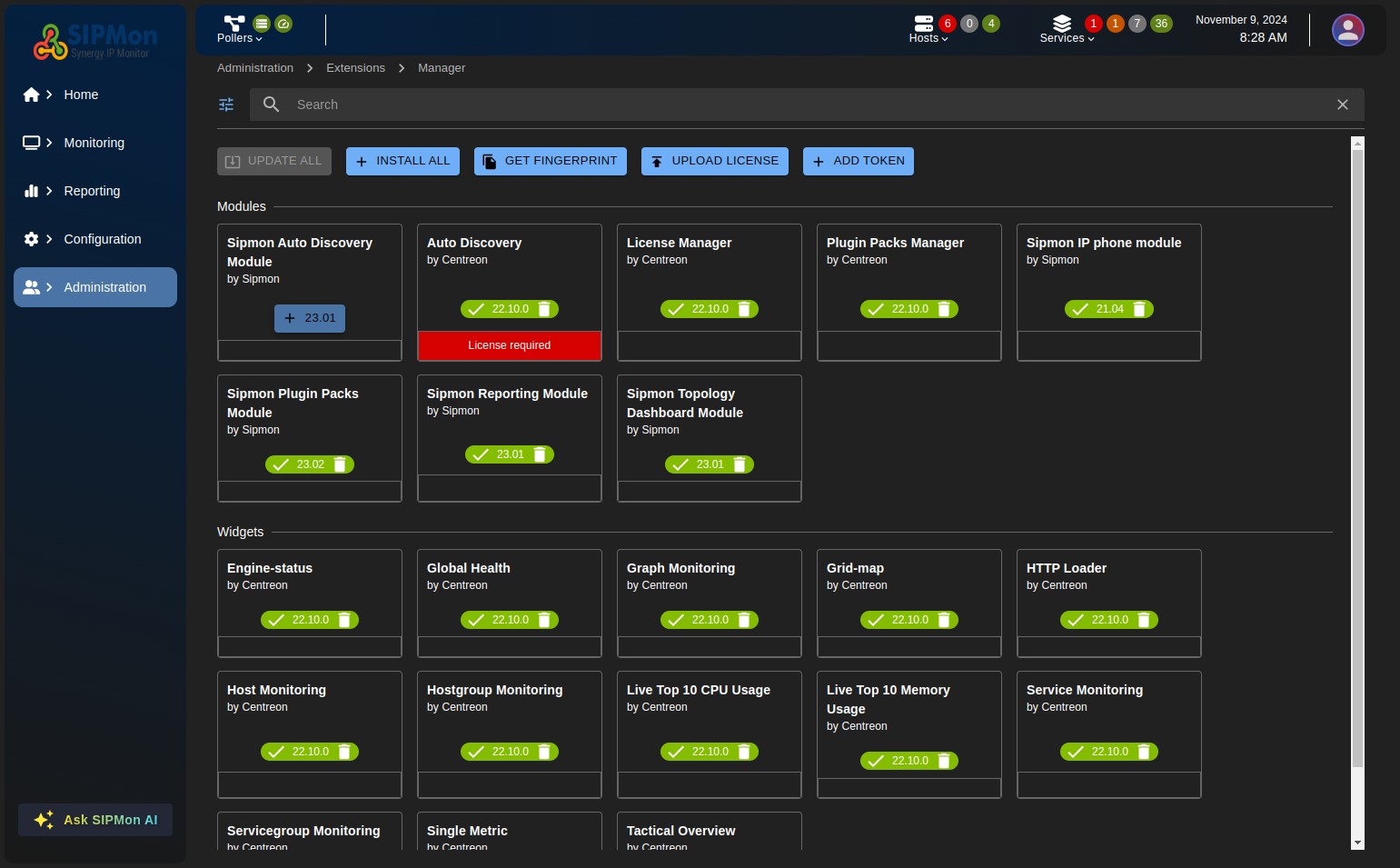 Figure: Installing Auto Discovery Module
3. Navigate to Configuration > Hosts > Auto Discovery
Alternatively, go to: http://<on_prem_ip>/sipmon/home/autodisco, replacing <on_prem_ip> with your on-premises IP address.
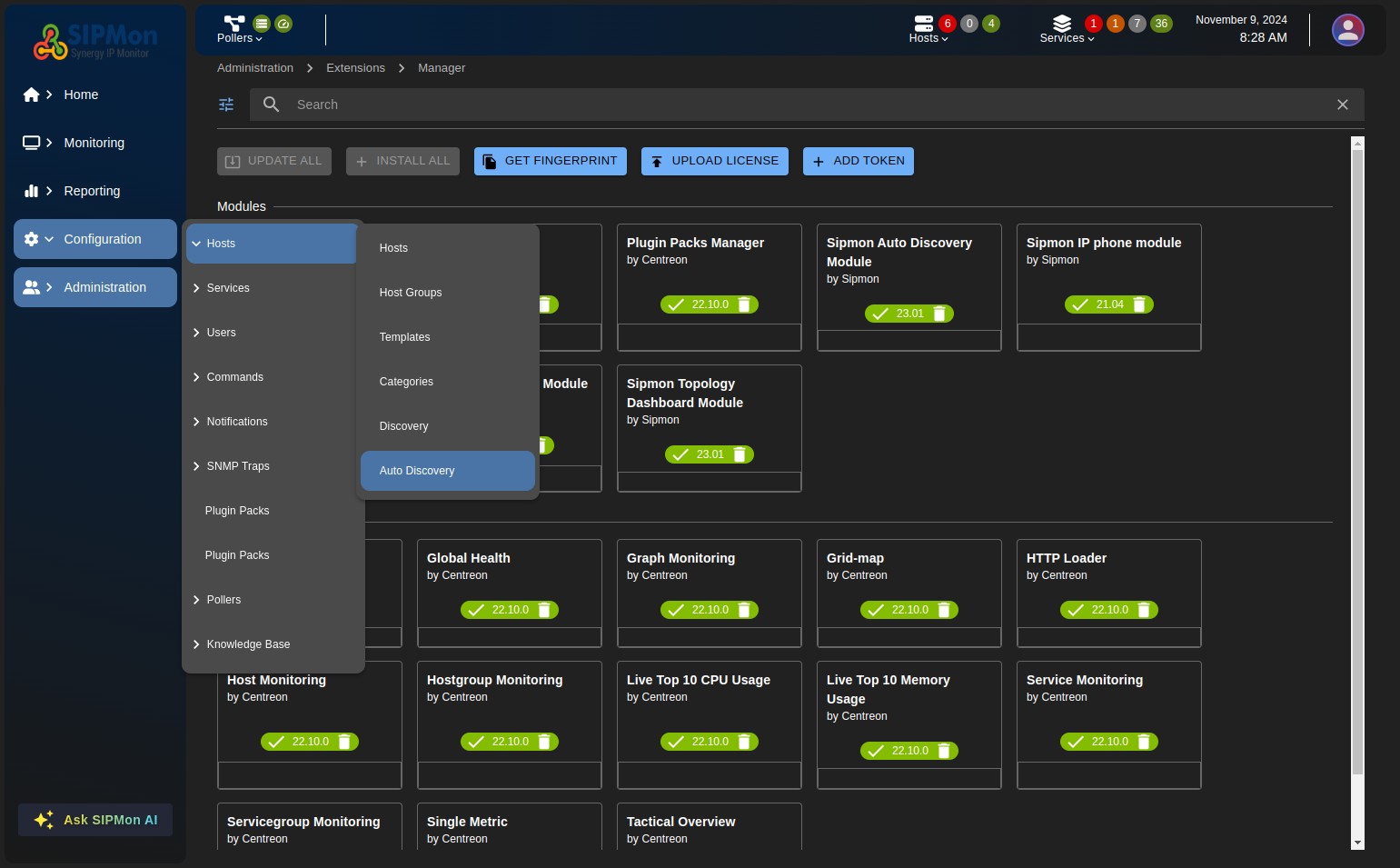 Figure: Navigating to Auto Discovery
You will then be redirected to the Auto Discovery module interface.
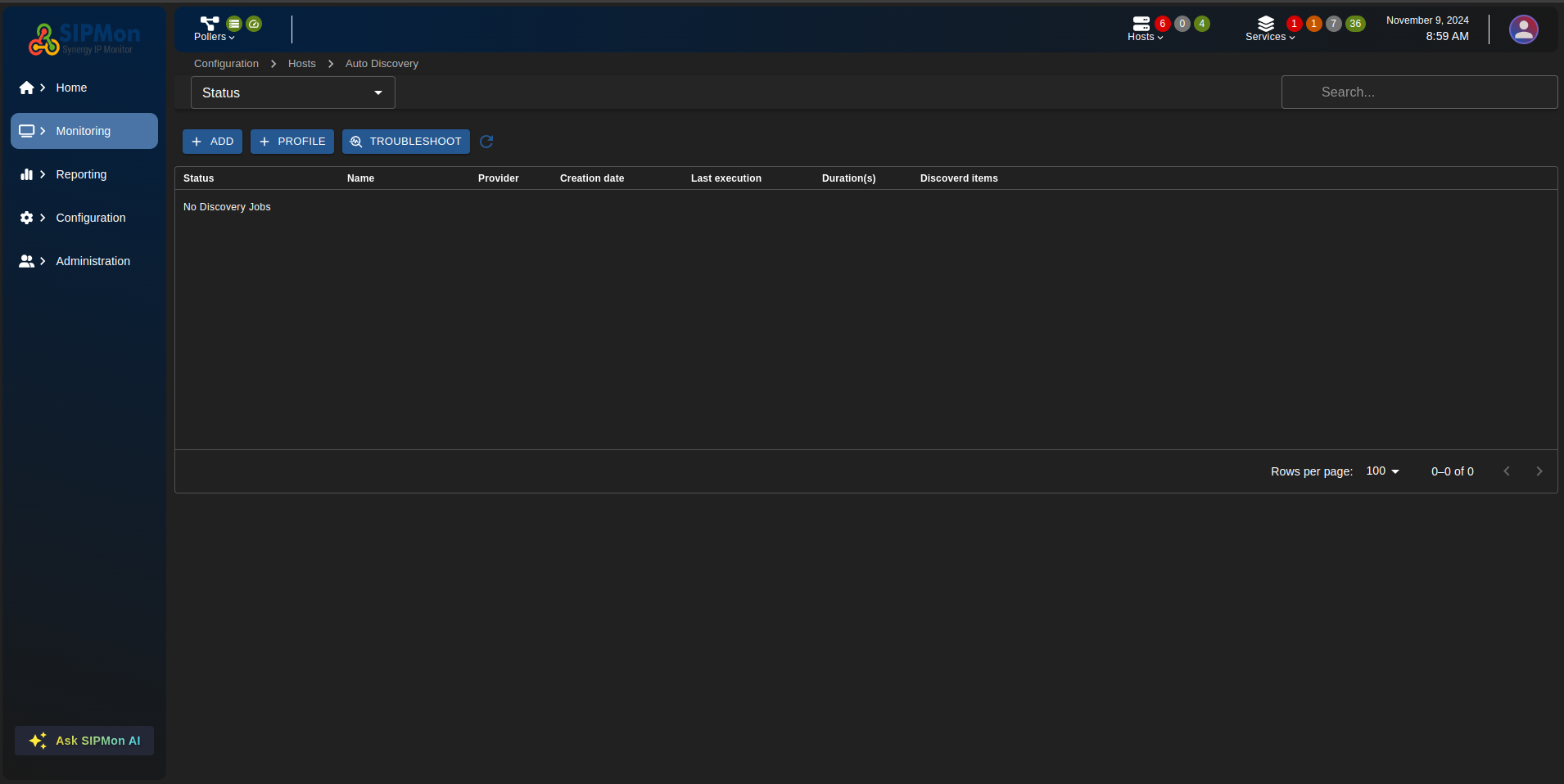 Figure: Auto Discovery Interface