Installation of the SIPMon Plugin Pack Module
Follow this comprehensive guide to successfully install the reporting module:
Access the Extensions Manager:
- Navigate to
Administration>Extensions>Manager. - In the
Extensions Manager, selectInstall>Plugin Pack Module. - For a visual guide, refer to the image below:
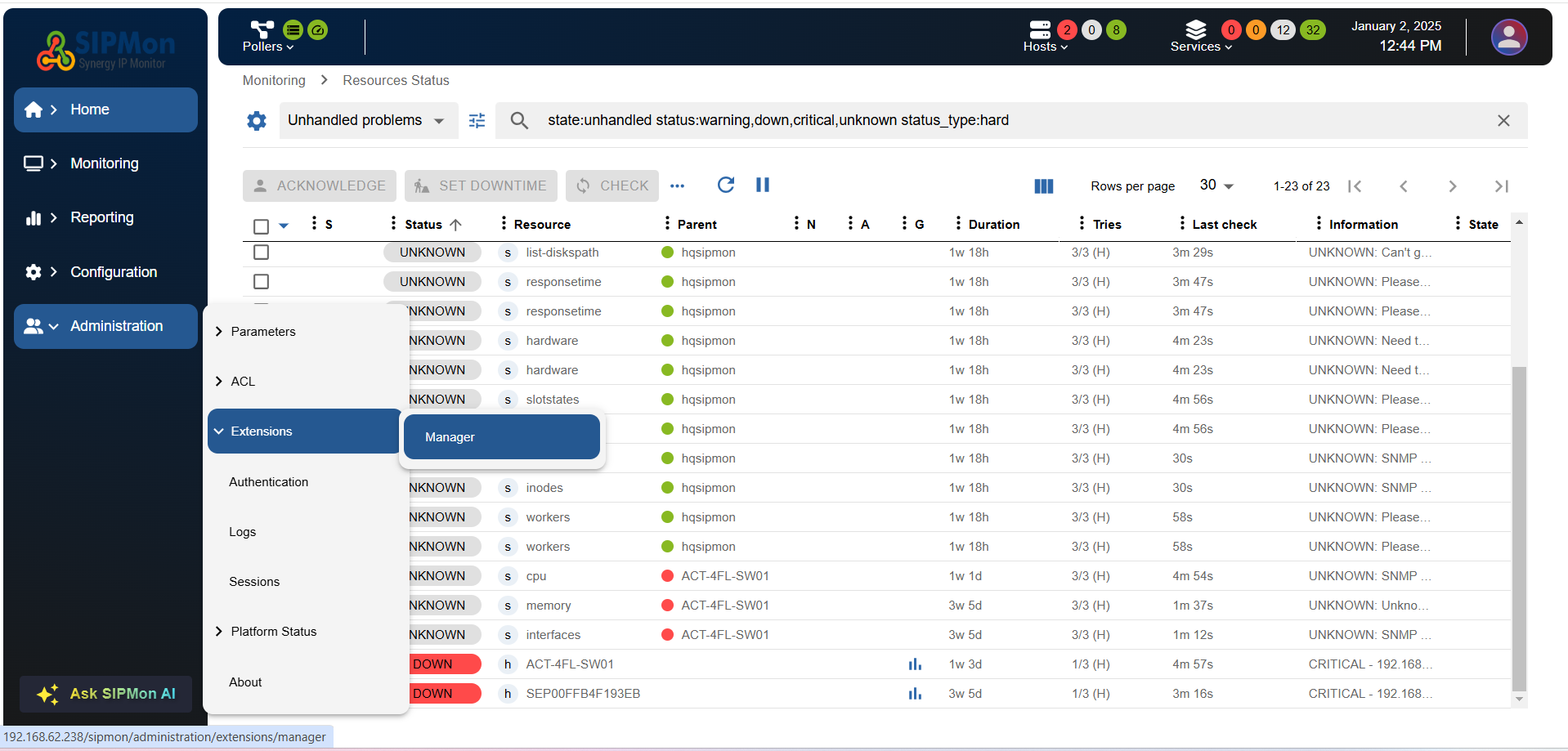 Figure: Accessing Extensions Manager
 - Alternatively, visit the installation page directly:
http://<on_prem_ip>/sipmon/administration/extensions/manager. Replace<on_prem_ip>with your on-premises IP address.
- Navigate to
Install the Plugin Pack Module:
Click the
+ 23.01button in the SIPmon plugin pack module widget.Alternatively, click on the widget to view more details about the module:
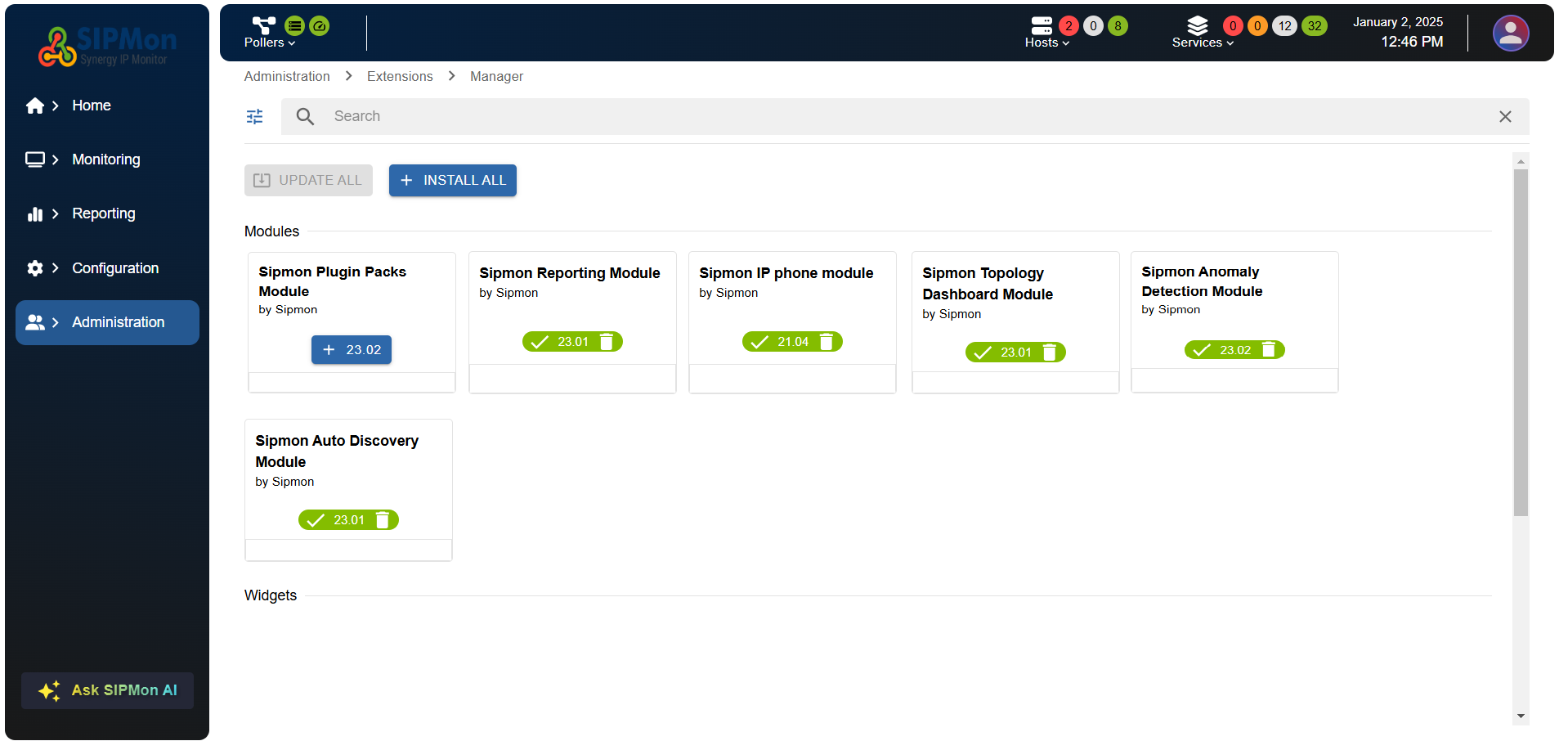 Figure: Installing Plugin Pack Module
After completing the installation, you can refer to the following image for further guidance:
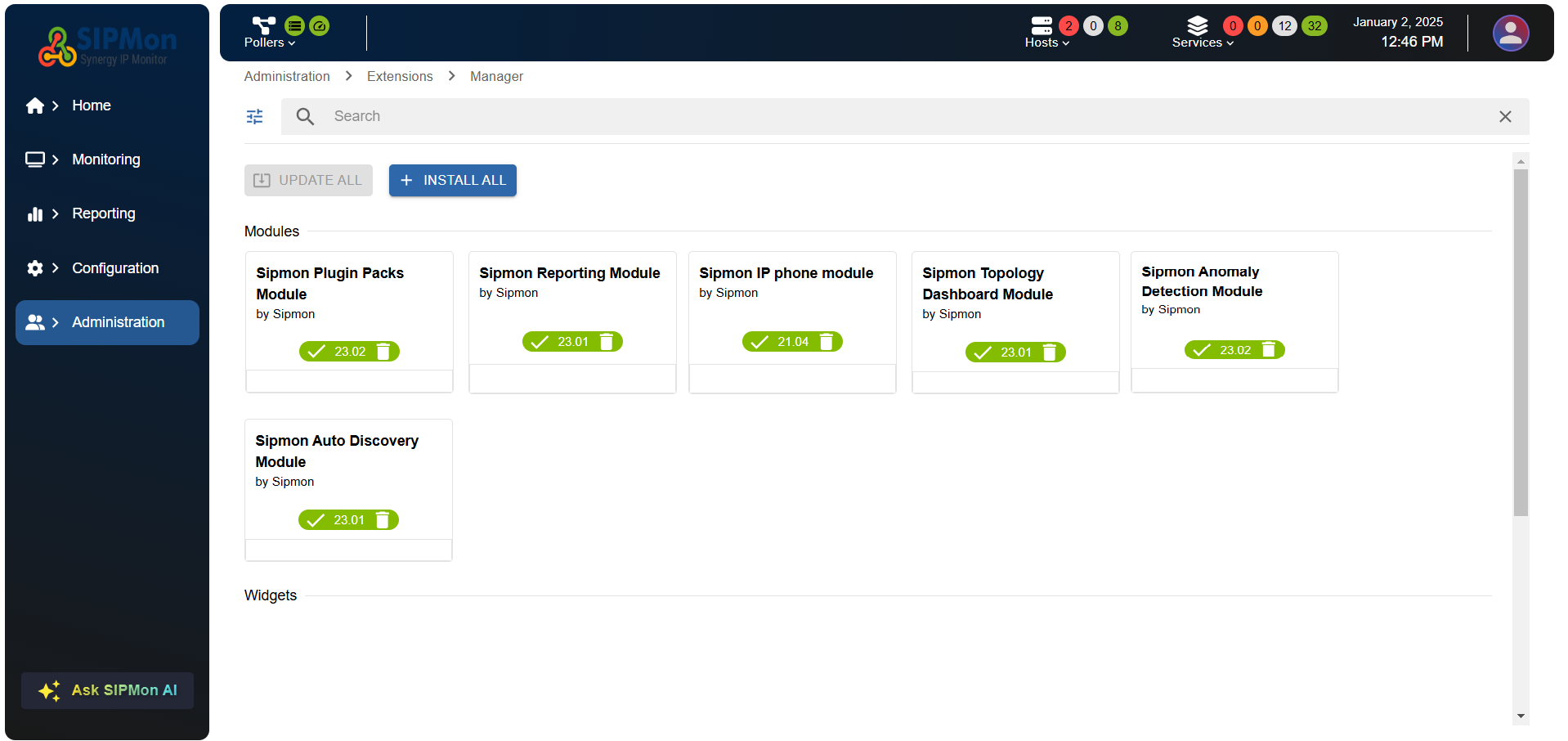 Figure: Installation Complete
Access Plugin Packs:
- Navigate to
Configuration>Plugin Packs. - Alternatively, visit the plugin packs page Alternatively, you can refer to the image below for a visual guide:
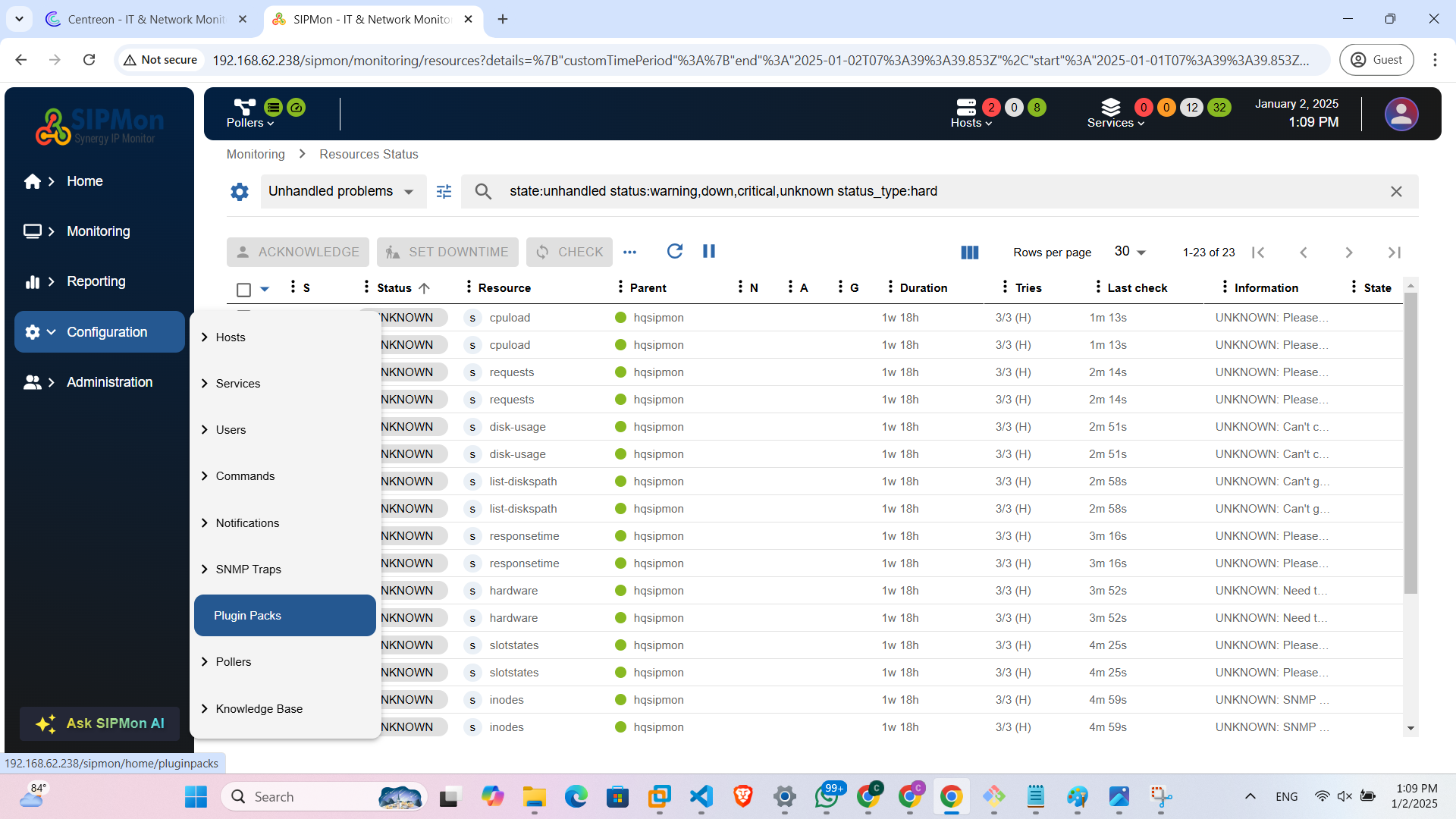 Figure: Accessing Plugin Packs
directly:
http://<on_prem_ip>/sipmon/home/pluginpacks. Replace<on_prem_ip>with your on-premises IP address.- Navigate to
Plugin Packs Module
Here is the plugin packs module image: 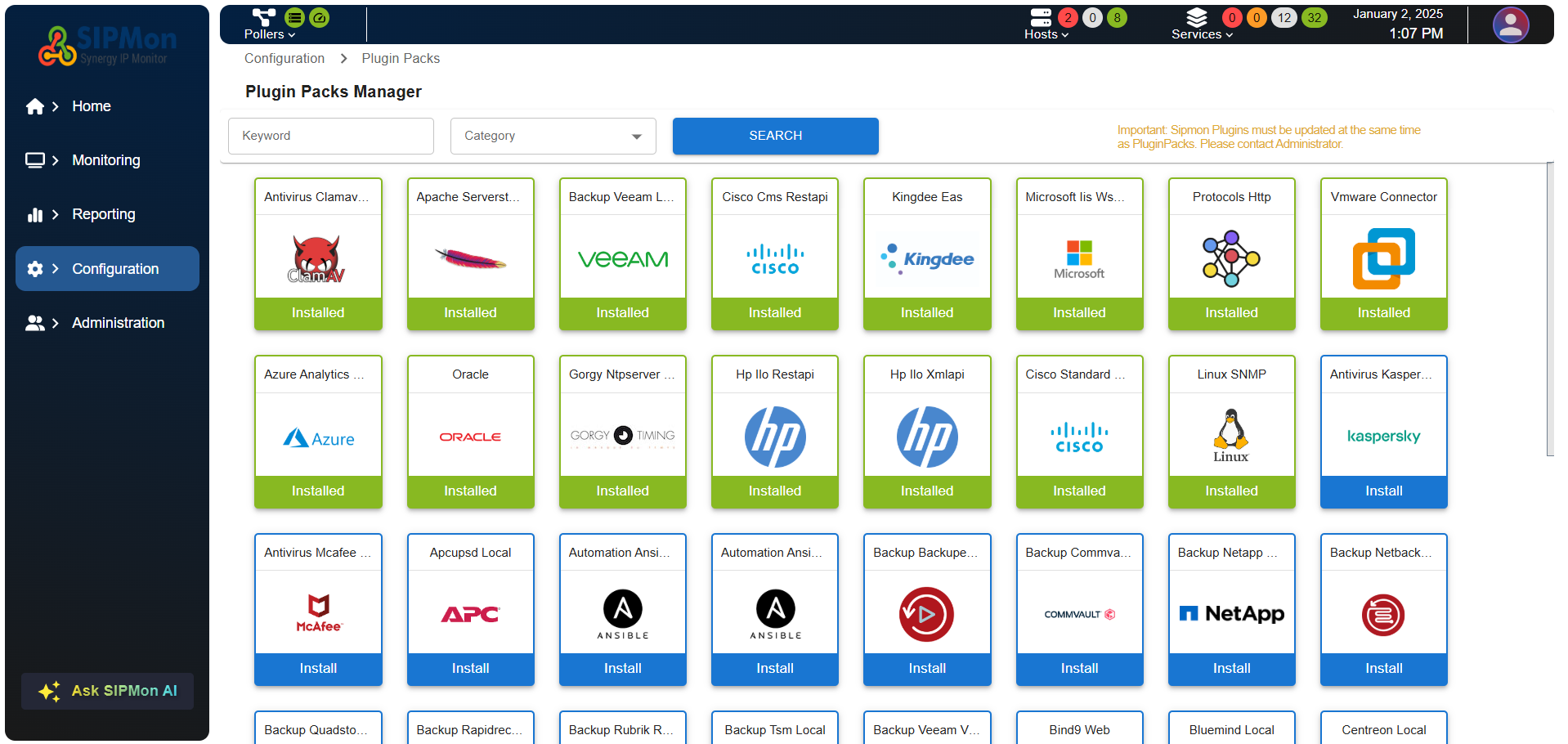 Figure: Plugin Pack Module Overview